Workforce Operations

Team Collaboration With Gravitas

Google Workspace gives you email on your own domain, shared calendars, secure file storage, and video meetings

What Is Google Workspace?

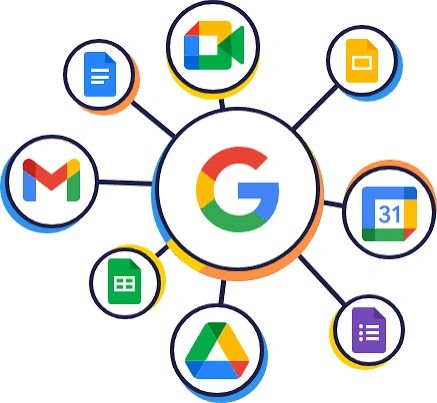
Google Workspace is Google's suite of business productivity tools, including Gmail, Calendar, Drive, Docs, Sheets, Slides, Meet, and Chat, all tied to your company's own domain name. Unlike personal Google accounts, every employee account belongs to the business and is managed from a central admin console, so you control access, security, and company data as people join and leave.

Comprehensive Features

Professional Email

Professional Email

Professional Email

Gmail on your own domain, such as name@yourbusiness.com, with spam and phishing protection built in.

Shared Calendars

Professional Email

Professional Email

Schedule meetings, share availability, and book company resources across your team.

Cloud File Storage

Professional Email

Docs, Sheets, and Slides

Store and share files in Google Drive, with shared drives that belong to the business rather than to individual employees.

Docs, Sheets, and Slides

Docs, Sheets, and Slides

Docs, Sheets, and Slides

Create and edit documents, spreadsheets, and presentations together in real time from any device.

Video Meetings

Docs, Sheets, and Slides

Video Meetings

Host meetings with Google Meet from a browser or phone, with screen sharing and calendar integration.

Team Chat

Docs, Sheets, and Slides

Video Meetings

Message individuals and groups in Google Chat without relying on personal texting apps.

Admin Console

Admin Console

Admin Console

Add and remove users, reset passwords, enforce security settings such as two-step verification, and manage devices from one place.

AI Assistance

Admin Console

Admin Console

Use Gemini inside Gmail, Docs, and other apps to draft, summarize, and organize work, depending on your plan.

How Gravitas Helps

Email and file systems hold some of your most sensitive business information, including employee records, payroll documents, and client communications. Gravitas helps you set up Google Workspace so that information stays protected and under the company's control.

Account and domain setup

We coordinate your domain, create employee accounts, and organize shared drives so company files never live only in one person's account.

Onboarding and offboarding

We build account creation into your new-hire process and set up a departure checklist that suspends access, transfers files, and preserves email for your records.

Protecting personnel files

We configure sharing permissions so that personnel records, medical documentation, and other confidential HR files are available only to the people who need them.

Technology and email policies

We draft acceptable use, email, and data security policies for your employee handbook, so expectations are clear before an issue arises.

Connecting to payroll

We help you connect Connecteam to your payroll system so approved hours move through without re-entry.

Preferred Pricing for Gravitas Clients

As a Google Workspace referral partner, Gravitas may be able to offer promotional pricing for new accounts. Contact us for details.

Is Google Workspace the Right Fit?

Google Workspace works best for businesses that want simple, browser-based tools for email, file sharing, and collaboration, especially teams that work across devices or locations. Businesses that depend heavily on installed desktop versions of Word, Excel, and Outlook, or that exchange complex Office files with clients, may prefer Microsoft 365.

Google Workspace tends to be a strong fit when your business:

  • Is newly formed and needs professional email on its own domain
  • Currently runs on personal Gmail or other personal email accounts
  • Has employees working across locations, in the field, or remotely
  • Needs a secure, organized place for company files and HR records
  • Wants email, calendars, file storage, and meetings under one account

Implement Google Workspace With Gravitas

Schedule a 30-minute consultation to discuss your needs, review module options, and learn about preferred pricing. Call (872) 203-0686 or book a free consultation with us.